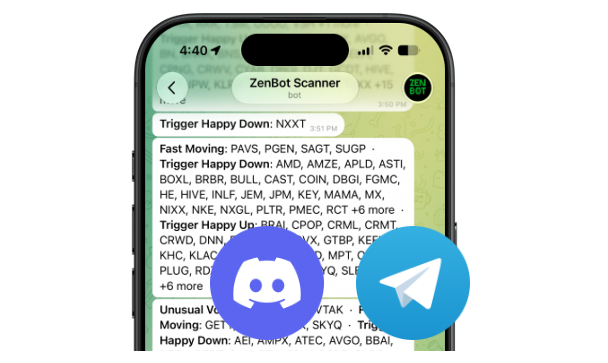
I’m super excited to launch a new ZenBot Turbo feature – Telegram and Discord alerts! Your scan alerts can reach you anywhere, even when your ZenBot Scanner tabs are closed.
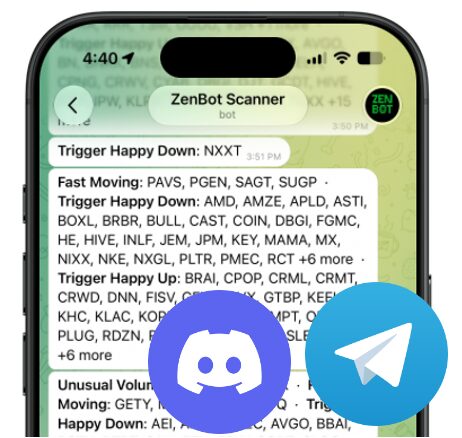
Until now, ZenBot alerts lived inside the app. Perfect when you’re watching the scanner, but less perfect when you are watching along on your phone. Starting today you’ll be able to enable Telegram and Discord alerts for any scan, even custom scans! When one of your scans fires, the alert is pushed straight to your phone or Discord server. You don’t need to have ZenBot open – everything is handled on the ZenBot server.
Why this is a Turbo thing
Turbo is about one edge: speed. You’re already getting real-time data and live in-app alerts. That same real-time signal can follow you off the screen.
Two ways to get started
- Telegram – alerts pushed straight to your phone. One tap to connect, and Zen will send your scan alerts.
- Discord – pipe alerts into your own server or trading group. Paste a channel web hook and you’re live.
Turn it on in 30 seconds
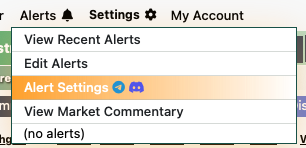
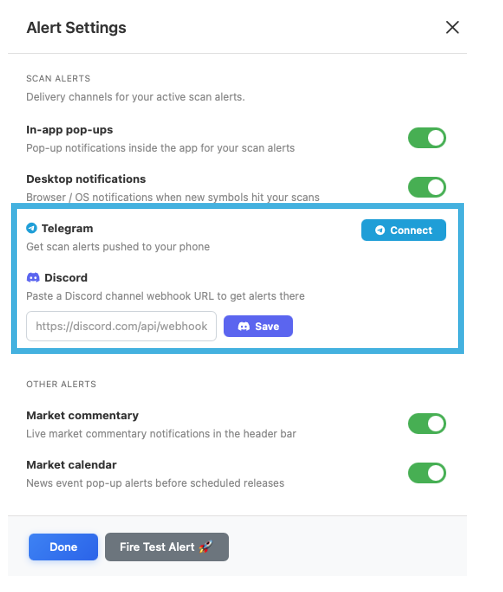
- Open Alert Settings (look for the Telegram + Discord logo)
- Telegram: hit Connect, Telegram will open. Tap “Start Bot” – done.
- Discord: paste your channel’s web hook URL and hit Save (learn more about Discord web hooks)
- Flip the toggle and fire a test alert to confirm it’s working.