Scan results as charts, Trade Signals, saved filters, 65 new filters, and chart windows with up to eight charts. Here’s what’s new in ZenBot, with videos.
Scan Results as Charts, Trade Signals, Saved Filters, 65 New Filters, and Lots More
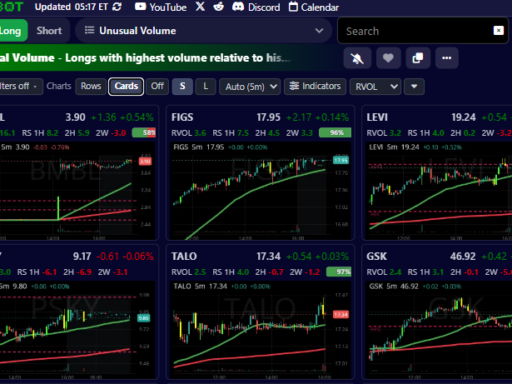
Scan results as charts, Trade Signals, saved filters, 65 new filters, and chart windows with up to eight charts. Here’s what’s new in ZenBot, with videos.
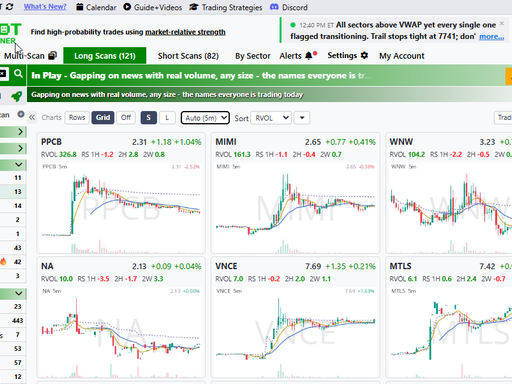
The loop every scanner user knows: run the scan, click the first symbol, look at the chart, go back, click the next one. Forty rows, forty round trips. The scan tells you what passed; the chart tells you whether you care. Until now those were two different places. Now, every […]
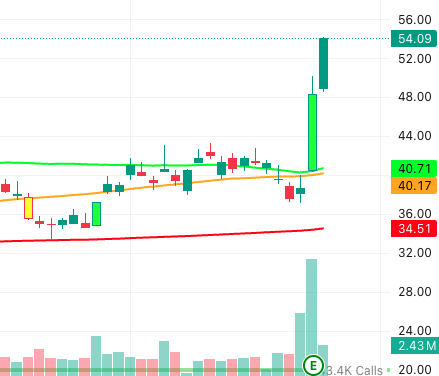
Something I noticed recently: a lot of the traders finding ZenBot Scanner are running some version of the Qullamaggie playbook. Enough of them that it stopped looking like a coincidence. So I built the scans out. Here they are, ready to use. Who is Qullamaggie? Kristjan Kullamägi — @Qullamaggie — […]
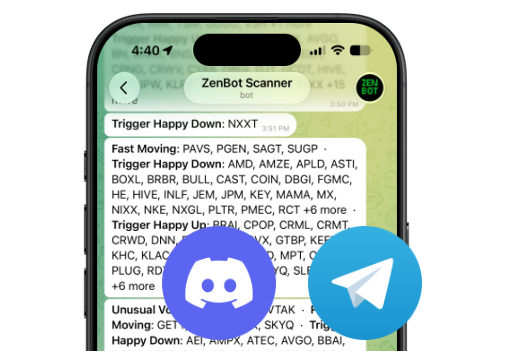
Telegram and Discord AlertsAs of today, Telegram and Discord alerts are now available for everyone, after great feedback from our Turbo traders. Alerts will remain real-time for Turbo subscribers, and 15-min delayed for free users. New Indicators and Filters Earnings Visible on ChartEarnings dates are now shown on the TradingView […]
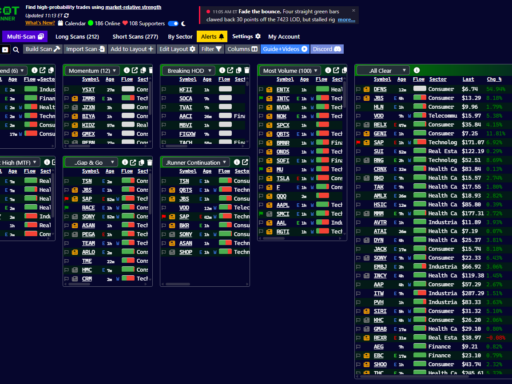
Today I’m launching a lot of new layout and window features that give you the ultimate control of your Zen setup. Multi-Scan Columns and LayoutsMulti-scan is no longer limited to two columns. You can select up to three columns (six with Turbo), and the charts can be hidden. Dragging/dropping scans […]

Another month, another round of big upgrades! Besides the big new Multiple Timeframe Indicator update, there are a lot of new features and bug fixes New Indicators Distance filters — “within X% of the level” A new family of filters for traders who work levels: price within X% of VWAP, […]
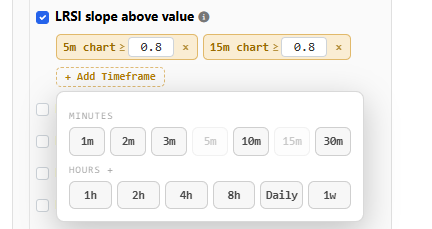
Big news – almost every filter and column in now works on any timeframe from 1-minute up to weekly! Here’s the tour. Scan any timeframe Until now, most filters answered one question: “is this happening on the 5-minute chart?” (plus a handful of daily-chart versions). Now, nearly every technical filter […]
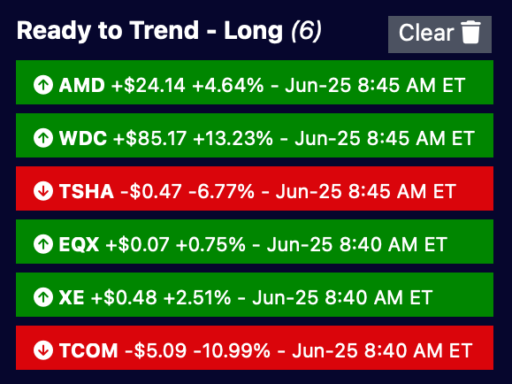
Your scan alerts now keep working even when ZenBot Scanner is closed. Alerts quietly stack up while you’re away, so your recent alerts are waiting the moment you reopen the app on any device, and new ones pop up live across all your open tabs and devices at once. Paired […]

Scans and alerts now update while the 1-minute bar is still forming – you no longer have to wait for the candle to close. The moment a ticker qualifies, it shows up in your scans and fires your alerts, so you catch setups seconds earlier instead of up to a minute late. […]
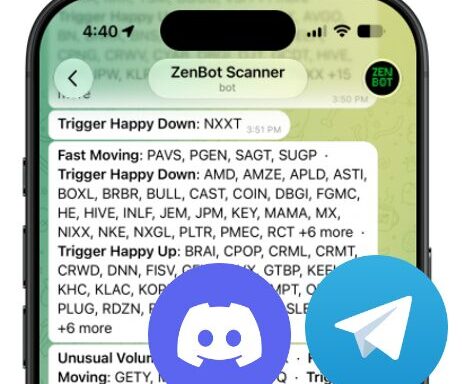
I’m super excited to launch a new ZenBot Turbo feature – Telegram and Discord alerts! Your scan alerts can reach you anywhere, even when your ZenBot Scanner tabs are closed. Until now, ZenBot alerts lived inside the app. Perfect when you’re watching the scanner, but less perfect when you are […]
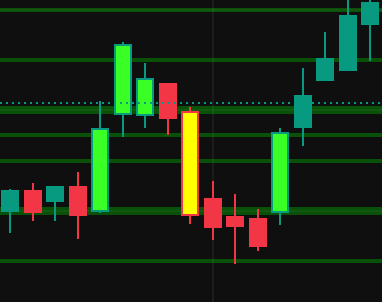
Key Bars on Charts Charts now highlight Key Bars, the high-conviction entry bars that often mark where size is stepping in. These bars are high volume and are of notable size. This indicator is open source and also available on TradingView. Age Column for Custom Scans The Age column now fills in for your custom […]

Fixed a long list of scanner bugs. I appreciate all your feedback and testing! Pattern Detection Watchlists Day, Range, and Level Calculations Filters

I hope you noticed – ZenBot Scanner is much faster! I deployed a major technology change that moves more of the heavy lifting to Zen’s server instead of in the browser. The initial download speed is much faster, and data updates are instant. This is a huge benefit to anyone […]
Resolved a number of filter bugs – thanks for your patience as I work out all the kinks from the big filter update.
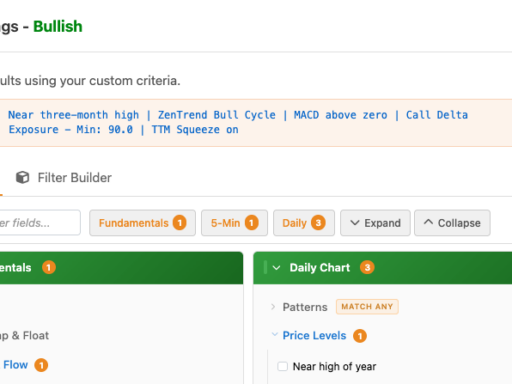
I’m happy to announce a number of new indicators are available for you to scan, filter, and add as columns. Most of the indicators are also available for the daily chart, and I’m working on bringing these to other timeframes. Many traders have asked for their favorite indicator – if […]
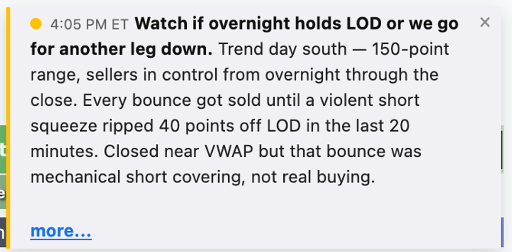
I’m excited to launch some new ZenBot Scanner features that I think you’ll really like, and some that you might not even notice. The web app is updated now, with the Windows app coming shortly. Live Market Commentary Zen will now provide real-time market commentary for day traders. The bot […]
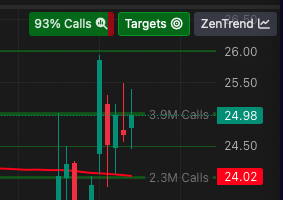
New Call/Put ratio indicator shows the bullishness of a ticker right on the chart. Click to see a more detailed option levels.
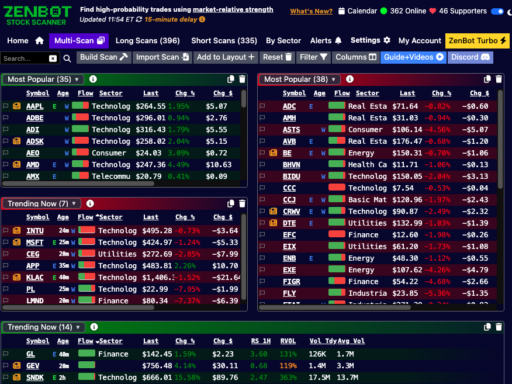
Refreshed Multi-Scan layout is smoother and allows more layout variety. Drag and drop scans between grid blocks, and resize to create your perfect layout.
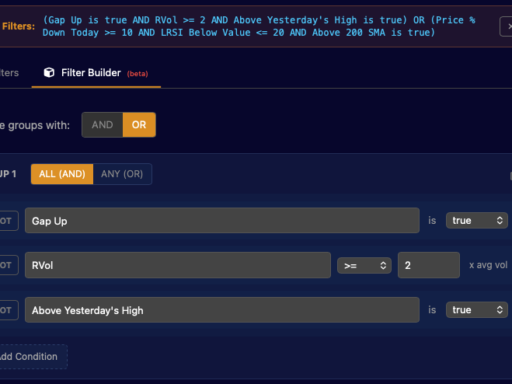
Filter Builder lets you combine filters in almost any way you can imagine We’re a few weeks post-launch of ZenBot Turbo and I’ve been able to focus on some big new features – and some bug fixes. Here’s what’s new.
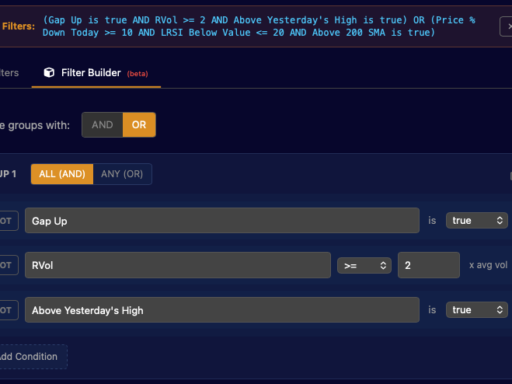
Ever wished you could combine filters in more flexible ways? The new Filter Builder lets you create custom scans that match exactly how you think about setups. How It Works Instead of toggling individual filters on and off, you now build groups of conditions that work together. A condition is a single rule: […]

For the last few years I’ve been working and trading using a custom predictive trend indicator which I’ve dubbed ZenTrend. ZenTrend attempts to plot the cycles that occurs as price cycles between the top and bottom of a channel. This works REALLY well and is quite often a predictor of […]

I’m launching a new feature today – price targets and support/resistance levels. You’ll now see see green lines indicating large “call walls” which act as targets and support levels. Red lines are “put walls” which act as resistance levels (or targets, if you are shorting). I’ve been using option open […]
ZenBot Turbo is live! Turbo enables a real-time data feed, supports ZenBot, and helps me keep the updates coming. It’s $25/month. https://www.zenbotscanner.com/turbo/ Scans are updated at the close of each minute candle, and live minute-bar data is available on the charts. Nothing is being removed or restricted. Q: Is ZenBot […]

I’m really excited to announce that an update to the ZenBot Scanner Windows app is now available in the Microsoft Store. This update brings all the new features from ZenBot to the Windows app – TradingView charts, scan alerts, options levels, and the ZenBot account to sync your scans to […]

A few small but mighty updates this week, ahead of the launch of ZenBot Turbo which will bring live data to charts and scans. Filters now support bullish and bearish criteria at the same time Have you ever wanted to scan for a few bearish criteria in an otherwise bullish […]

I’m super excited about this one. ZenBot Scanner now includes full-featured TradingView Advanced Charts which support indicators, drawings, and automatic saved layouts! Data is loaded from the ZenBot server, which will include a future option for live data. Your favorite Indicators can be added and customized the way you want […]
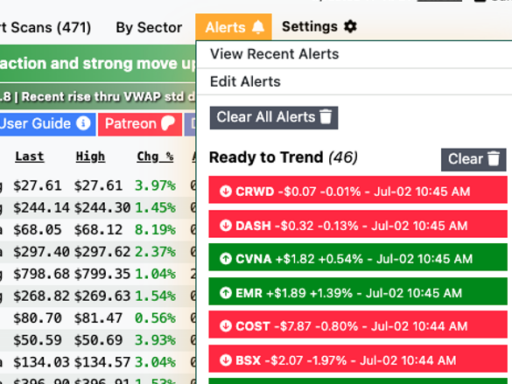
ZenBot Stock Scanner now has scan alerts! You can enable alerts for any scan, including your own custom scans. Zen will pop an alert whenever a new ticker appears on the scan. Here’s an example. I’ve been swing trading “bullish pullbacks” using this custom scan. It shows pullbacks on tickers with bullish daily […]

Besides the new Options Flow features, I resolved some long-time bugs and added a few small enhancements:
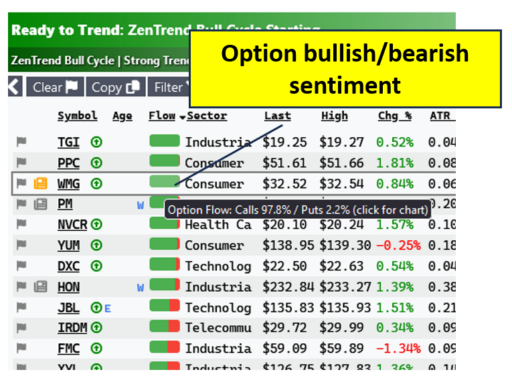
ZenBot now has the ability to scan for bullish or bearish imbalances in option open interest. This serves as another point of confluence to helping us understand if there is institutional presence, in which direction and at what price points. Zen will now show you a new “Flow” column which […]
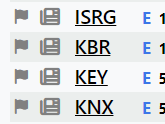
ZenBot now has access to earnings dates and outcomes. Look for the little ‘E’ icons in scan results and hover over the icon to see the date (or results, if the earnings have been released). In addition, earnings data will now show in the ticker detail windows and search results. […]
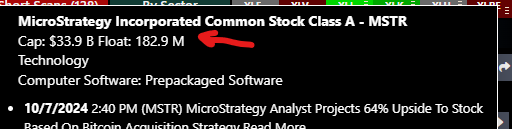
I incorporated a new data feed for market cap and float data. This will make a big difference for the momentum and low-float scans, and will improve calculation of sector relative strength.
I’ve pushed out a few fixes based on your feedback. Thanks for letting me know in the ZenBot Discord or on Reddit!

I posted a small update that addresses a number of small issues and bug fixes:
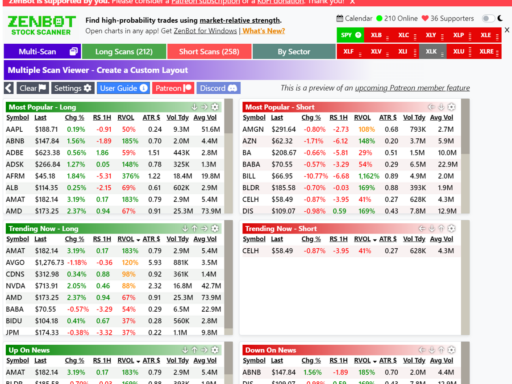
Introducing the new multi-scan layout! Create a custom layout with your favorite scans visible all at once. You can select any built-in or custom scan in each of the mini-grid windows. Move them around, resize them – whatever you want. You can sort the mini grids right now, and I’m […]
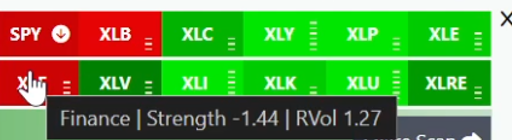
I posted a new guide on using ZenBot Scanner’s sector sector strength and scans. When selecting a stock to trade, it’s important to find one that is moving stronger than the overall market. This gives you an edge – if the market starts to pull back, you will have an […]
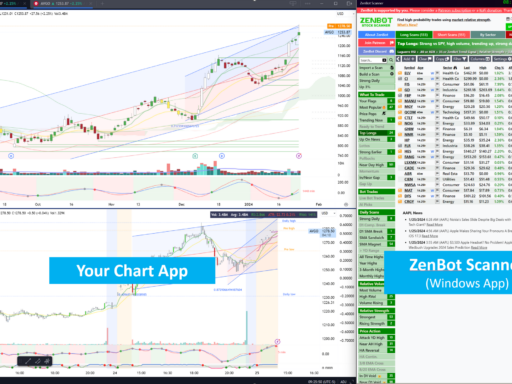
A new user guide section is available on how to configure the ZenBot Scanner Windows App to launch charts in your preferred charting app (TradingView, ThinkOrSwim, TC2000, etc.). If you haven’t tried this feature yet, I encourage you to give it a shot. It’s a game-changer for your stock scanning […]
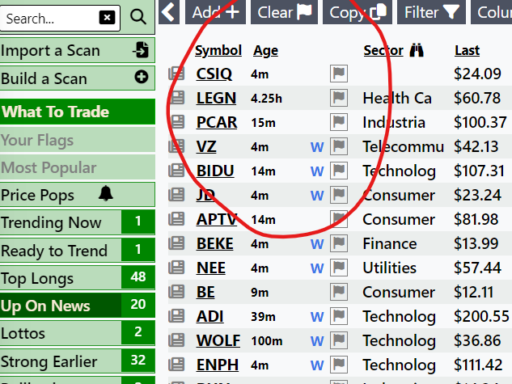
Scan results will now show an Age column indicating how much time has passed since the ticker appeared in the scan. This will help you see fresh additions to a scan list, or focus on a ticker that has been trending for a long time.
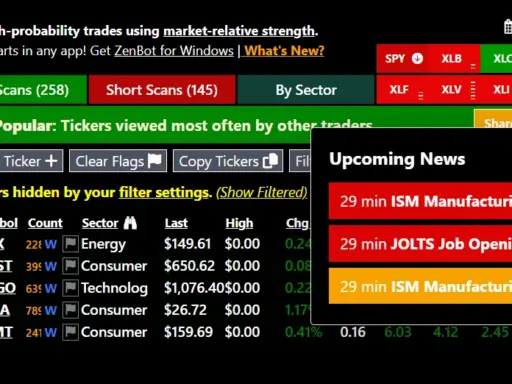
Zen is now aware of market-moving news events like FOMC, Treasury Bill auctions, and Crude Oil Inventories. Click the new ‘Calendar’ button to see what’s coming up, and watch for the in-app news alerts. Desktop alerts coming shortly.
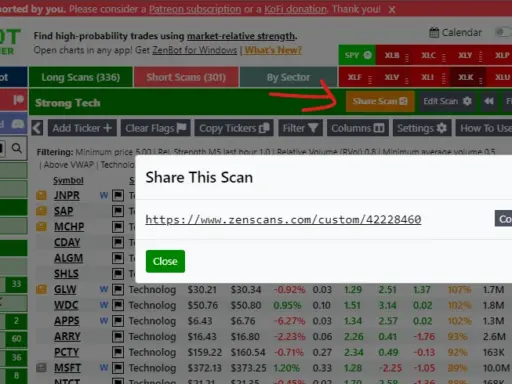
Shared Custom Scans: You can now share your custom scans! Zen lets you create any combination of properties you want (Tech, high relative volume, high relative strength, good daily, above VWAP, etc.). Click the ‘Share Scan’ button and you’ll get a link that can be used by anyone. Here are a […]
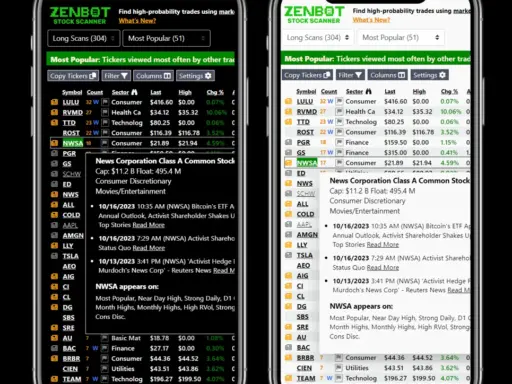
You’ve been asking for this since the beginning (and I thought you were a little crazy). Zen now has a mobile layout that works great on your phone. The Windows app also supports small-screen mode and is perfect for launching tickers in your favorite charting app (TradingView, OneOption, ThinkOrSwim, IBKR, etc.).
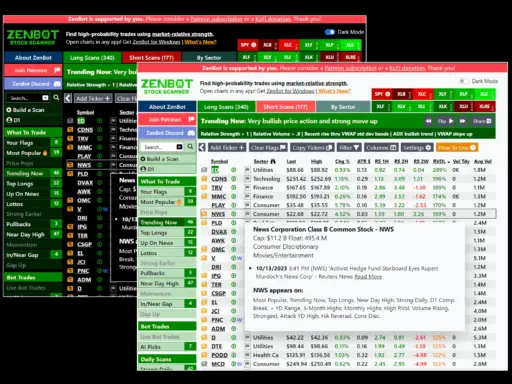
One of you reached out and said the dark mode isn’t accessible for everyone to read. I started working on a light mode, and I like it quite a bit! All the cool kids are releasing dark mode for their app. Zen now has a light mode!
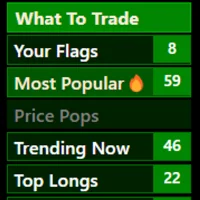
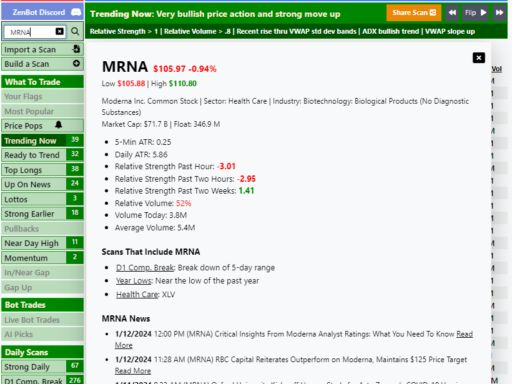
Lots of you have asked for this! Type in a ticker and quickly see everything in one place. View technical analysis, links to all the scans that include the ticker, and news. I’m finding the “scans that include ticker” a fascinating double-check when deciding what to trade. At a glance, […]
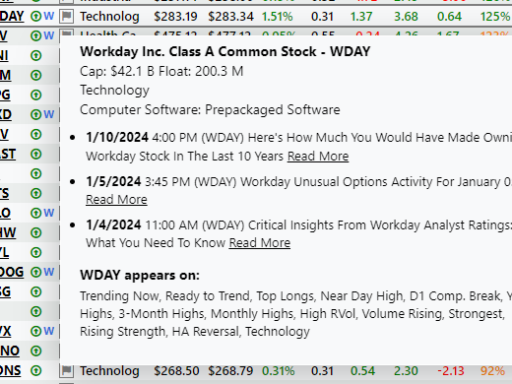
I’ve been trading more news catalysts lately and realized that a scanner that includes news would be very powerful. I spent the weekend adding a news feed to the scanner.
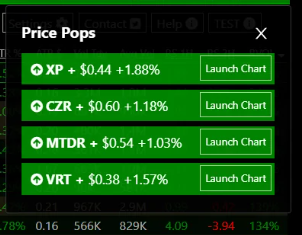
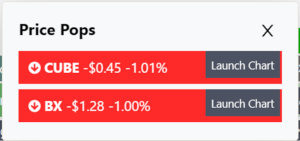
“Price pop” alert you to tickers that have made a substantial move very recently. A desktop and in-app alert catch your attention and work on the web app (zenscans.com) and the Windows app. Larger tickers will alert on sudden moves of 1% over a few M5 bars, while cheap low-float tickers […]
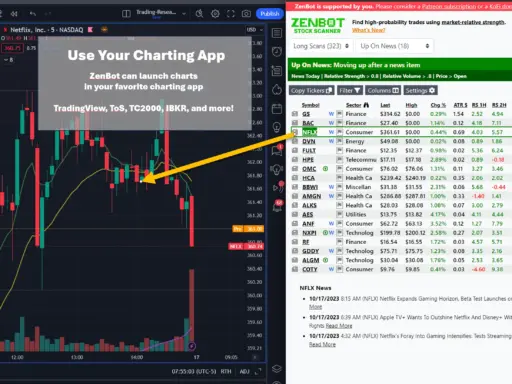
The ZenBot Scanner app has one key feature the website doesn’t. It can launch stock charts in your charting platform of choice (TradingView, ToS, TC2000, and more). The ZenBot Scanner app allows you to configure an “auto type” feature that automatically launches a selected ticker in TradingView, ToS, TC2000, or […]