Right-click menus
Watch: right-click menus (15:30)
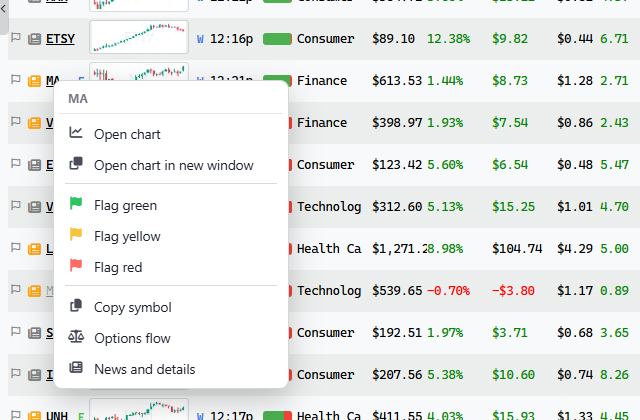
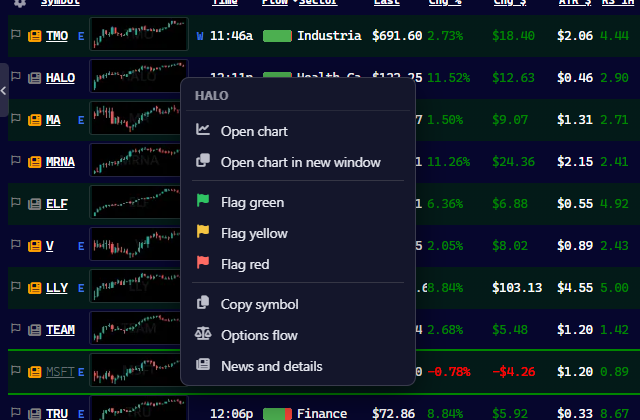
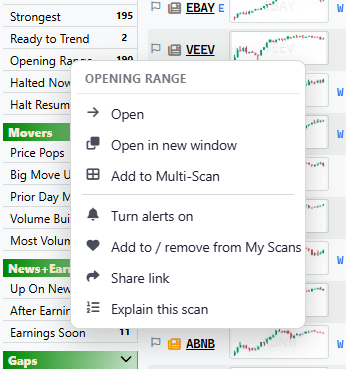
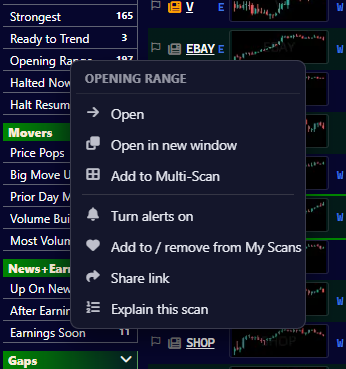
This one’s overdue. Right-click a ticker to open its chart here or in a new window, flag it, copy the symbol, or jump to options flow or news. It works on rows, cards and Fast Charts. Right-click a scan to pop it out, add it to Multi-Scan, share it or explain it.
| Right-click on | Menu |
|---|---|
| A scan | Open, Open in new window, Add to Multi-Scan, Turn alerts on or off, Add to / remove from My Scans, Share link, Explain this scan. Your own scans add Edit scan, Duplicate and Delete. |
| A ticker (a row or a chart card) | Open chart, Open chart in new window, Flag green / yellow / red, Clear flag, Copy symbol, Options flow, News and details. |
| A Fast Chart | The same as a ticker, without Open chart. |
Hold Shift while you right-click to get the browser’s own menu. Text boxes and touch screens keep the browser’s menu too.
Flagging & your watchlist
Flag a ticker, keep moving, then come back to the names you marked. That’s your watchlist.
Flag colors
| Color | Use it for | Key |
|---|---|---|
| Green | A long candidate | 1 |
| Red | A short candidate | 2 |
| Yellow | Seen it, come back later | 3 |
Press the same key again to clear the flag. You can also click the flag at the start of a row, or right-click the row and choose a color or Clear flag.
Done with a scan? 4 marks every still unflagged ticker yellow, so you know you’ve seen them.
Find your flags
- Your Green Flags, at the top of the long scan list, holds every green-flagged ticker.
- Your Red Flags, at the top of the short list, holds the red ones.
There are also filters for flags (in Fundamentals), so a scan can show only flagged tickers or hide the ones you have already marked.
Stepping through a list
Press Space to jump to the next unflagged ticker. Flag it, press Space again, and work through the list.
Habits that help
- Be selective. If everything is green, the list tells you nothing.
- Keep the colors consistent. Green long, red short, always.
- Clear out old flags. A flag from last week is usually noise.
Keyboard shortcuts
Keys
| Key | What it does |
|---|---|
| ↑ / ↓ | Previous / next ticker in the list |
| ← / → | In Cards, the card to the left / right (and ↑ ↓ move a whole row of cards). With the pointer over a Fast Chart, they move the chart back / forward 10 bars; add Shift for a full screen. |
| Space | Next ticker with no flag |
| Shift+Space | Auto-flip: steps through the list on a timer. Press again to stop. |
| 1 2 3 | Flag green / red / yellow |
| 4 | Flag every unflagged ticker on the scan yellow |
| / | Go to the search box |
| Letters | Start typing a ticker; a box opens over the chart |
| A number, over a Fast Chart | Start typing a timeframe: 5m, 1h, 1D |
| Shift+F2 | Light / dark mode |
| Esc | Close what is open |
The number keys flag a ticker when the pointer is over the results, and start a timeframe when the pointer is over a Fast Chart.