Right-click menus
Watch: right-click menus (15:30)
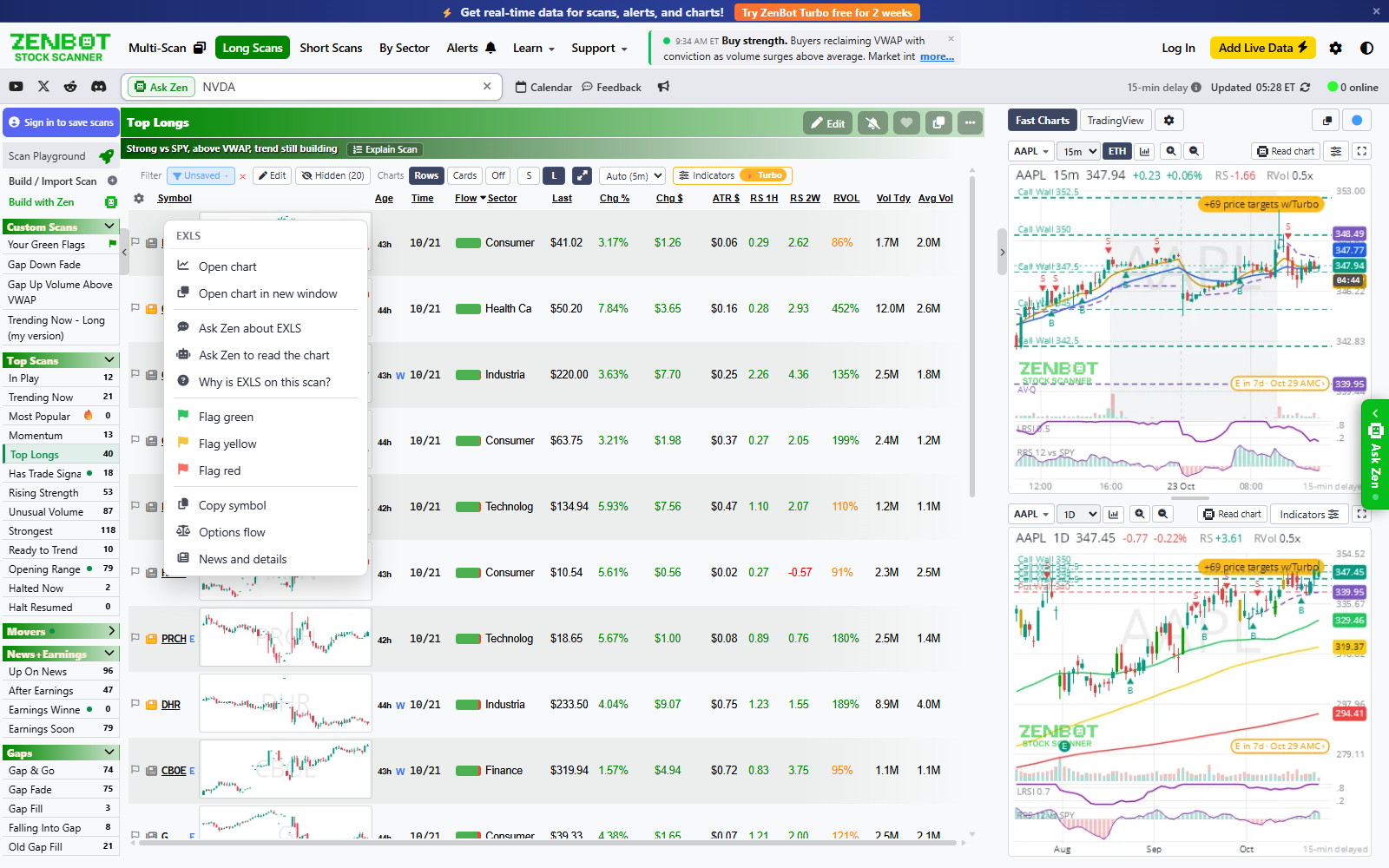
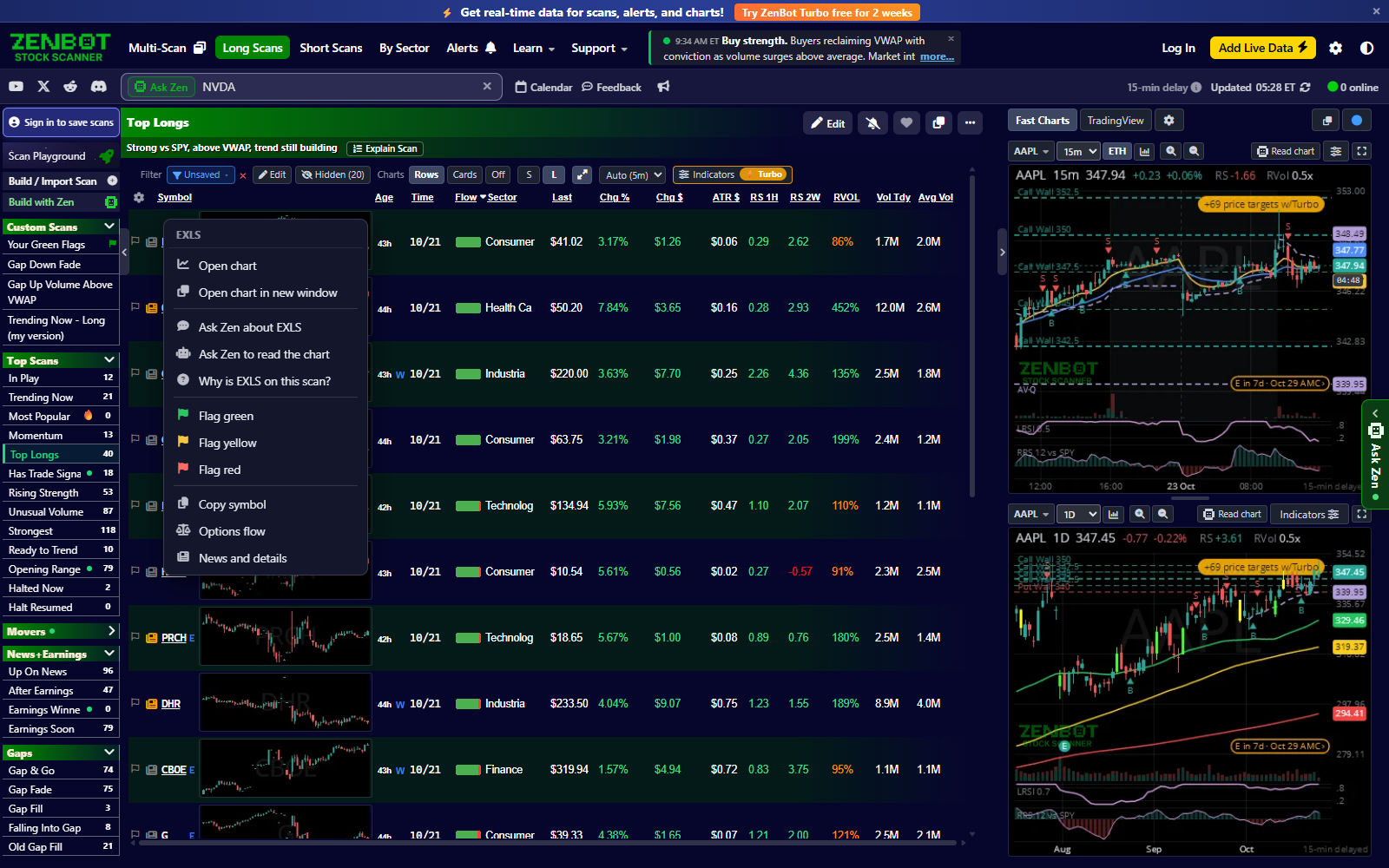
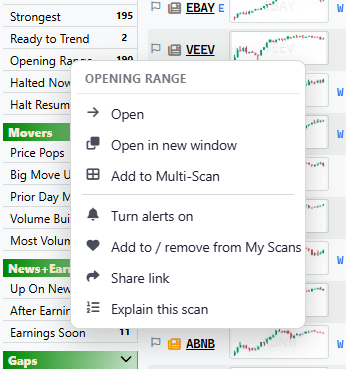
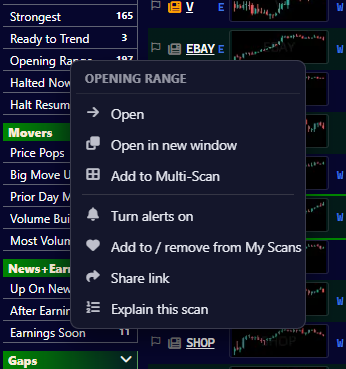
This one’s overdue. Right-click a stock to open its chart here or in a new window, ask Zen about it, flag it, copy the symbol, or jump to options flow or news. It works on rows, cards and Fast Charts, in chart windows too. Right-click a scan to pop it out, add it to Multi-Scan, share it, explain it or ask Zen about it.
| Right-click on | Menu |
|---|---|
| A scan | Open, Open in new window, Add to Multi-Scan, Turn alerts on or off, Add to / remove from My Scans, Share link, Explain this scan, Ask Zen about this scan. Your own scans add Edit scan, Duplicate and Delete. |
| A stock (a row or a chart card) | Open chart, Open chart in new window, Ask Zen about it, Ask Zen to explain the chart, Why is it on this scan?, Flag green / yellow / red, Add to Watchlist, Clear flag, New alert for it (or Alerts for it, when it has some), Copy symbol, Options flow, News and details. |
| A Fast Chart | The same as a stock, without Open chart, plus Alert when price crosses the price under the pointer (a line the chart draws, or one of your alert lines, picks its exact level), Indicators, and Apply indicators to this layout. In a chart window, also without News and details. |
Hold Shift while you right-click to get the browser’s own menu. Text boxes and touch screens keep the browser’s menu too.
Flagging & your watchlist
Flag a stock, keep moving, then come back to the names you marked. That’s your watchlist. It lives in two places: the Watchlist panel on the right rail, beside the charts, with last, change and your own order, and the Watchlist scan at the top of the sidebar. The panel has its own page: The Watchlist.
Flag colors
| Color | Use it for | Key |
|---|---|---|
| Green | A long candidate | 1 |
| Red | A short candidate | 2 |
| Yellow | Seen it, come back later | 3 |
Press the same key again to clear the flag. You can also click the flag at the start of a row, or right-click the row and choose a color or Clear flag.
Done with a scan? 4 marks every still unflagged stock yellow, so you know you’ve seen them.
Find your flags
- Your Green Flags, at the top of the long scan list, holds every green-flagged stock.
- Your Red Flags, at the top of the short list, holds the red ones.
- Watchlist, above them on both sides, holds every flag, green, yellow and red.
There are also filters for flags (in Fundamentals), so a scan can show only flagged stocks or hide the ones you have already marked.
Stepping through a list
Press Space to jump to the next unflagged stock. Flag it, press Space again, and work through the list.
Habits that help
- Be selective. If everything is green, the list tells you nothing.
- Keep the colors consistent. Green long, red short, always.
- Clear out old flags. A flag from last week is usually noise.
Keyboard shortcuts
Keys
| Key | What it does |
|---|---|
| ↑ / ↓ | Previous / next stock in the list |
| ← / → | In Cards, the card to the left / right (and ↑ ↓ move a whole row of cards). With the pointer over a Fast Chart, they move the chart back / forward 10 bars; add Shift for a full screen. |
| ↑ / ↓ in the Watchlist | After a click on a row, walk the list and chart each stock |
| Shift+drag on a Fast Chart | Measure: change, percent, bars and time between two points |
| Double-click the price axis | Reset the chart: live edge, default zoom, auto-fit scale |
| Space | Next stock with no flag |
| Shift+Space | Auto-flip: steps through the list on a timer. Press again to stop. |
| 1 2 3 | Flag green / red / yellow |
| 4 | Flag every unflagged stock on the scan yellow |
| / | Go to the search box |
| Letters | Start typing a ticker; a box opens over the chart |
| A number, over a Fast Chart | Start typing a timeframe: 5m, 1h, 1D |
| Shift+F2 | Light / dark mode |
| Esc | Close what is open |
The number keys flag a stock when the pointer is over the results, and start a timeframe when the pointer is over a Fast Chart.